
← All servicesBuild · Websites & Apps
Clickable prototype · HubSpot CMS · WordPress
Website Design
We design your website ourselves, as a working prototype you click through in the browser. You approve it from a link, then we build exactly that in HubSpot CMS, WordPress or custom code.
Why it matters
What this changes.
Most redesign trouble starts in the gap between the design and the build. We close that gap by doing both.
-
01
No designer to hire and brief
We design the pages ourselves, so you don't hire a separate designer, coordinate two teams and pass files between them.
-
02
A working site to review, not pictures
You click menus, open pages and try forms on your own laptop and phone before anything is built.
-
03
What you approve is what we build
The same team designs and builds, so the approved prototype becomes the build plan.
What will you actually see?
A prototype you click, not a picture you imagine.
Static mockups show one screen at a time. They hide how the menu opens, how a long headline wraps on a phone and what a form does after you press send, so those questions come up during the build, when changes take longer. We design in the browser instead: you get the key pages as a working prototype that behaves like the finished site, with your real content wherever it exists.
- Key pages designed as working pages
- Menus, links and buttons that respond
- Desktop, tablet and phone layouts
- Hover states and forms you can try
- Your real content where it exists
How do you approve a design?
Review it from a link. Approve it before the build.
We send one private preview link. You and your colleagues open it on your own devices, click through and tell us what to change: as comments right on the design in Figma, or in a short screen-recorded video for prototypes we build as a live web app. Each revision goes to the same link, so everyone always looks at the current version. The build starts only after you approve the design.
- One private preview link for your whole team
- Comments in Figma, or a short video for web-app prototypes
- Each revision published to the same link
- Design rounds agreed in the scope
- Your approval before the build starts
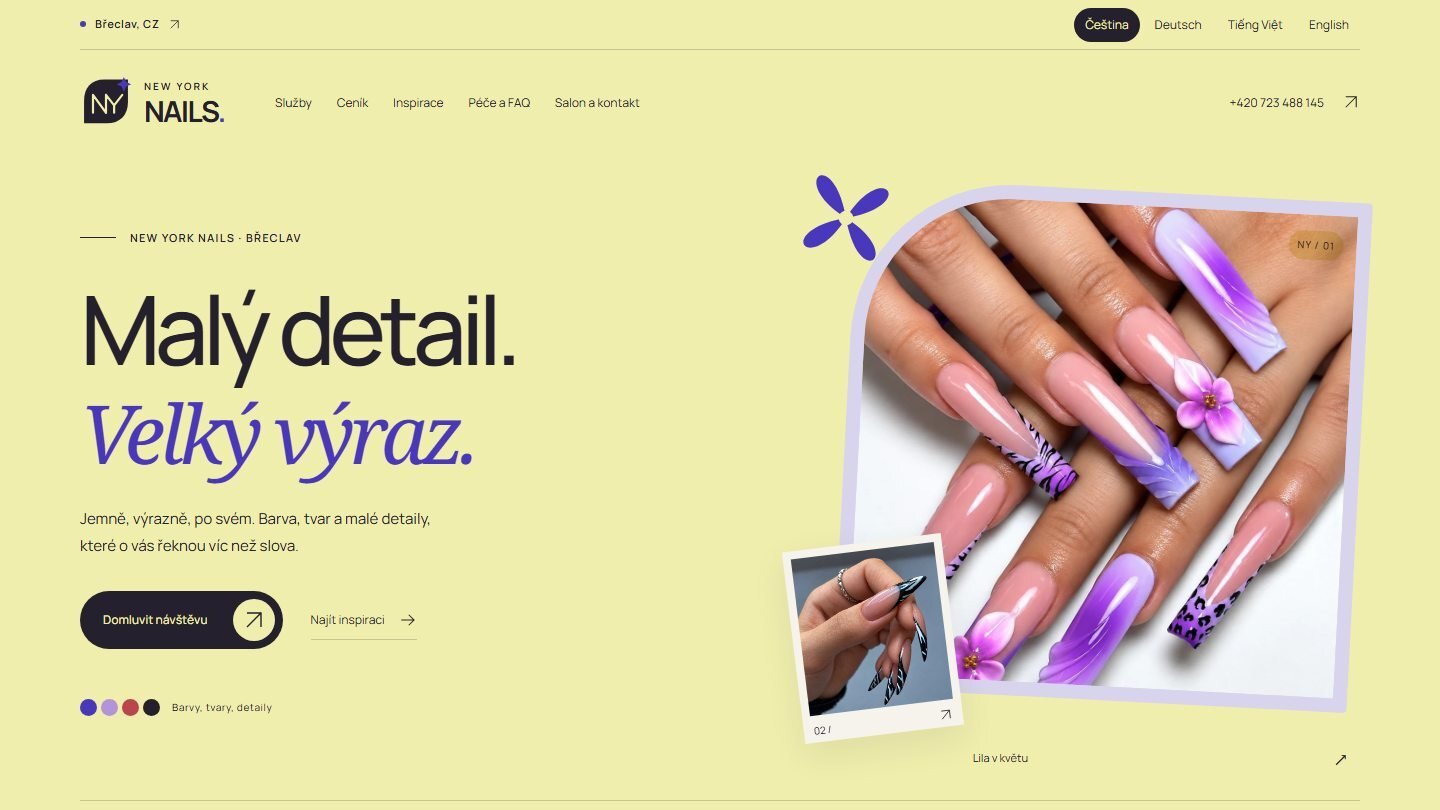
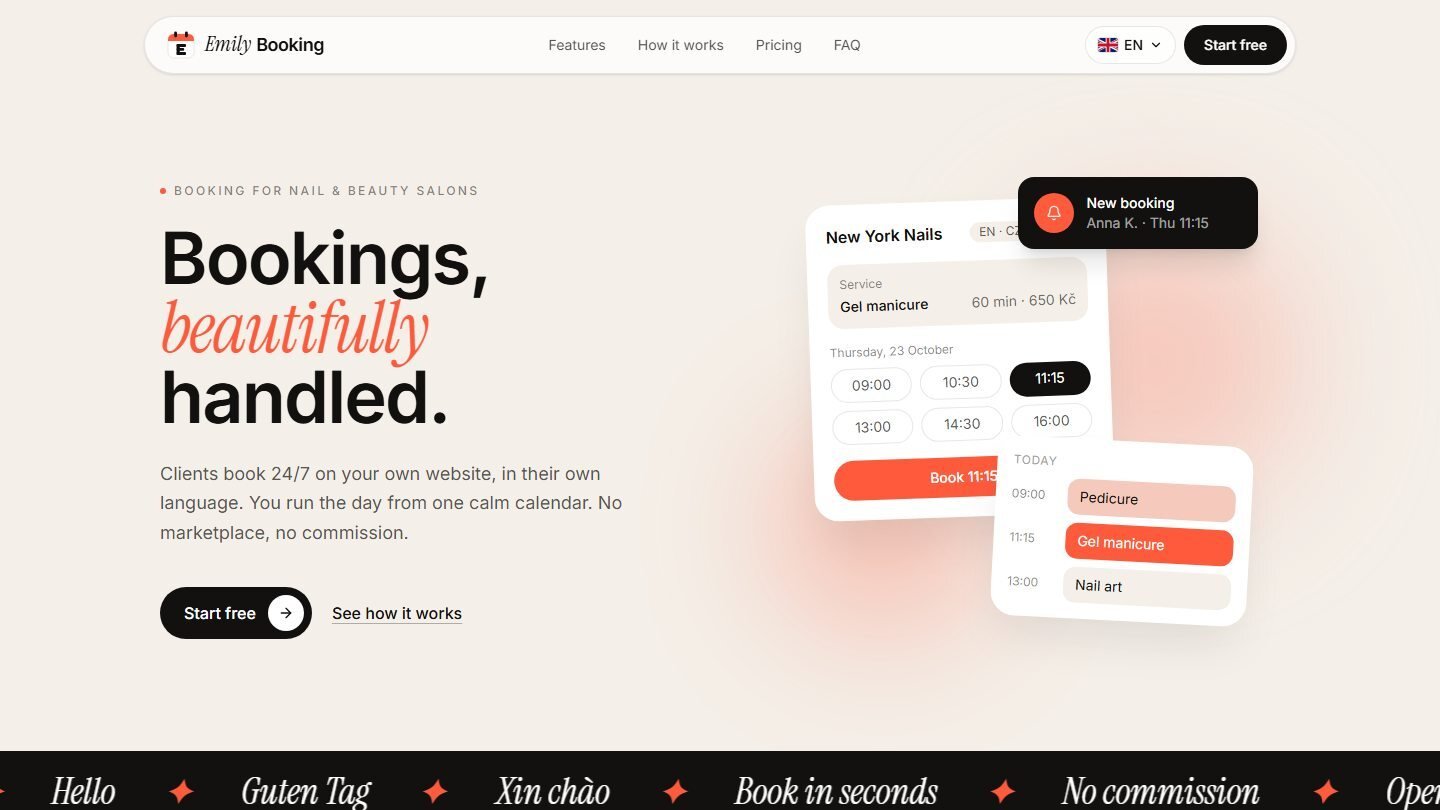
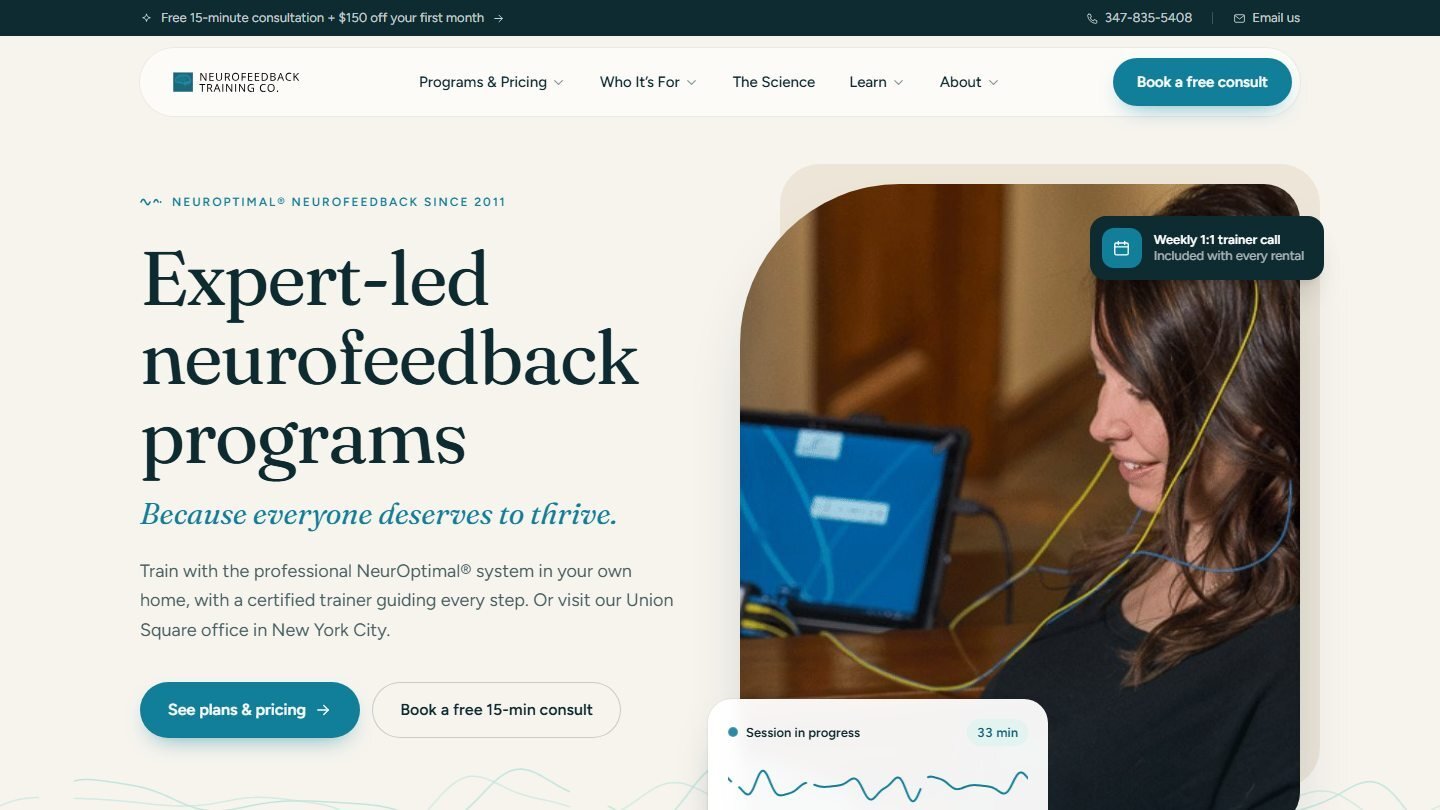
Recent designs
Designs we've made for clients.
A selection of websites we designed for clients.

What should the design do?
Designed to explain, not just to impress.
67% of B2B buyers prefer to buy without talking to a sales rep. So the website has to do the explaining: who you help, what you do, why you and what to do next. We start from your buyers and your offer, plan the page structure around them, then design the visual style on top.
- Prefer rep-free67%
- Don't33%
| Prefer rep-free | 67% |
|---|---|
| Don't | 33% |
Two in three buyers want the website to answer first.
Gartner, 2026
- Page structure and navigation planned around your buyers
- Your logo, colors and type applied consistently
- A clear next step on every page
- Room for proof: client logos, reviews and results
- An inventory of your current pages, for redesigns
Where will it be built?
One design, built on the platform that fits.
The prototype doesn't tie you to a platform. Once you approve the design, we build it in the system your team will run day to day.
-
HubSpot CMS
Fits when
Your CRM and marketing already run on HubSpot.
Built asA theme with templates and modules your team edits in HubSpot.
-
WordPress
Fits when
Your team knows WordPress or already has a site there.
Built asA WordPress theme with editable page sections.
-
Custom code
Fits when
You need full control over the front end.
Built asHand-written HTML, CSS and JavaScript.
Design and build stay with one team, so no design files are handed between companies.
Why design and build with one team?
Mockups and a handoff, or a prototype.
How it works
Clear steps. No surprises.
Every engagement starts with a first call. If there's paid work to do, we agree the scope and price before it begins.
-
01
Brief and structure
We agree the goal, the buyers, the pages you need and the content you already have, then map the site's structure.
You getA page list and site map to approve.
-
02
Design the prototype
We design the key pages as a working prototype in the browser, for desktop and phone.
You getA private preview link to click through.
-
03
Review and revise
You and your team click through and comment in Figma, or send a short video. Each revision goes to the same link.
You getThe design rounds agreed in the scope, then your approval.
-
04
Build and launch
We build the approved design in HubSpot CMS, WordPress or custom code, and test it before launch.
You getA live site built from the prototype you approved.
Track record
Who we work for.
- Clients
- 100+
- Countries
- 16
- Industries
- 12
- Upwork Job Success
- 100%
Works well with
Related services.
- 01Website DevelopmentThe approved design is built in Website Development: templates, speed, accessibility and launch checks.
- 02SEO & Content MarketingKeyword research and page copy come from SEO & Content, so the design has words that are written to be found.
- 03Digital Marketing Strategy & ConsultingNot sure who the site is for or what it should say? Positioning and buyer personas are set in Strategy & Consulting.
- 04HubSpot CRMForms, lead routing and CRM data are set up in HubSpot CRM, so the new pages feed a working portal.